
To build an effective social media content calendar for your small business, define 3-4 core content pillars (like tips, behind-the-scenes, or customer success stories). Then, schedule them on specific days in a simple weekly template. This approach ensures publishing consistency, builds audience anticipation, and saves valuable planning time.
This guide is for small business owners who want to consistently create social media videos but feel short on time or ideas. We'll show you how to build a simple, effective content calendar, provide a template, and reveal how to produce videos automatically—without filming or editing.
- Consistency is more important than high frequency: 2-4 videos per week is enough.
- Planning ahead saves hours of work and frustration during the week.
- A content calendar doesn't have to be complicated—a simple template gets the job done.
- You can produce professional, consistent video even without filming yourself.
- Focus on consistent messaging to build a strong, memorable brand.
Why Every Small Business Needs a Content Calendar (Yes, You Too)
Consistency is the key to social media success. Algorithms on platforms like TikTok and Instagram reward accounts that post regularly. A content calendar ensures you don't 'disappear' for a week or two and helps you maintain positive momentum, leading to higher organic reach.
Beyond algorithms, your customers simply prefer video. Data shows that 73% of consumers prefer to learn about a product or service through a short video. A content calendar allows you to plan and deliver this content systematically, which leads to business results. It's no wonder that 87% of marketers report a positive ROI from video marketing.
The Four Content Pillars: The Building Blocks of Your Calendar
Instead of reinventing the wheel every day, define 3-4 'content pillars'—core topics you'll talk about repeatedly in different variations. This makes brainstorming easier, builds expertise, and clarifies for your audience what they get from you. For example, a financial consultant could choose pillars like: savings tips, explaining concepts, and client success stories.
Examples of Content Pillars That Suit Almost Any Business:
- Value Content: Tips, guides, answers to FAQs, how-to's...
- Human Content: Behind the scenes of the business, personal stories, team introductions.
- Sales Content: Product demos, customer successes, work process, special offers.
- Community Content: Answering questions from comments, sharing user-generated content.
The Ultimate Template: How to Actually Build a Weekly Content Calendar
It's time to implement. Forget complicated Excel spreadsheets with dozens of columns. For a small business that needs to plan 2-4 videos a week, a simple table is all you need. You can create one yourself or use a ready-made template to save time.
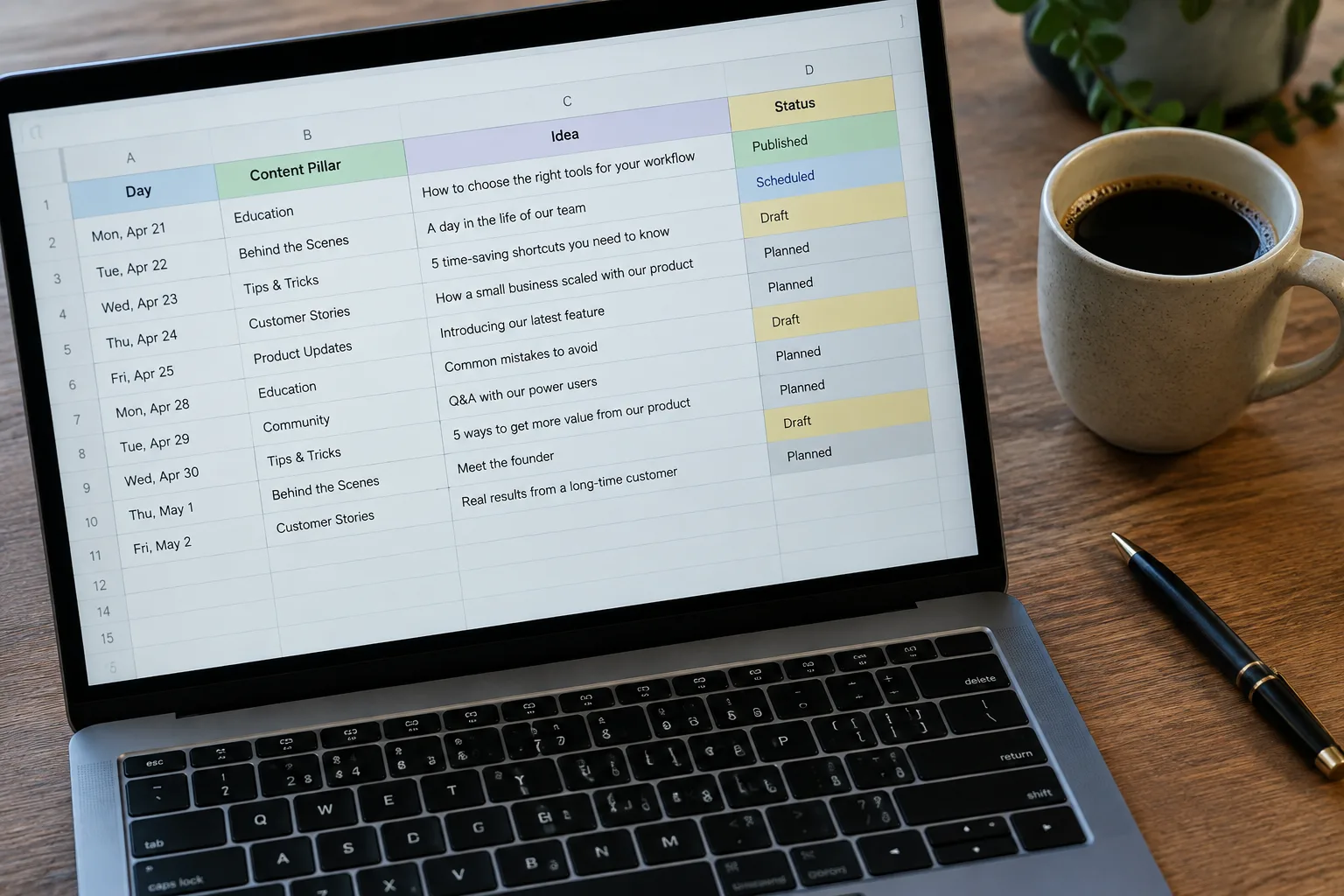
| Publishing Day | Content Pillar | Main Video Idea | Status |
|---|---|---|---|
| Sunday | Value Content (Tip) | 3 common mistakes that... and how to avoid them | Idea |
| Tuesday | Human Content (Behind the Scenes) | A peek into our product creation process | Idea |
| Thursday | Sales Content (Customer Success) | How we helped client X achieve Y | Idea |
How Many Videos Should You Really Post Per Week?
This is the million-dollar question, and the answer is simple: consistency is more important than quantity. It's better to post two high-quality, planned videos every week than to post five videos in one week and then disappear for a month. For a small business, 2-4 videos per week is an excellent starting point that allows you to maintain a regular presence without burning out.
The biggest challenge for small businesses isn't creating one viral video, but producing a consistent stream of valuable content that builds trust and drives action over time.
The LunSoul Social Team
How to Produce the Videos: Quickly, Simply, and Without Filming
You've planned an amazing content calendar, but then comes the challenging part: creating the videos. Most business owners get stuck here. The question "I don't have time to film myself all day, how can I still produce video consistently?" is one of the most common we hear. The answer lies in automation and artificial intelligence.

Instead of spending hours on filming and editing, you can use tools that create videos for you automatically. AI-based systems like LunSoul Social can take the ideas from your content calendar, write a script for them, produce a video with a digital presenter and professional Hebrew narration, and even schedule the post. This way, you ensure your calendar is fully implemented and save your most valuable resource—time.
5 Tips for Easy Content Calendar Implementation
- Dedicate one hour a week to planning. Concentrate all your brainstorming efforts into a set time to free up the rest of the week for managing your business.
- Create an 'idea bank.' Every time you think of a video idea, add it to a dedicated document. When you sit down to plan, you'll have ideas ready to go.
- Repurpose content smartly. A tips video can become a series of images, and an old blog post can become a series of short videos.
- Start small. Don't try to build a content calendar for six months ahead. Focus on the next week or two to make the task less daunting.
- Use automation. Let technology do the grunt work of creating the videos so you can focus on strategy.
What to Do Now?
Now that you have the knowledge and the tools, it's time to act. Don't put it off until tomorrow. Building a content calendar is the first and most important step toward creating a strong, consistent digital presence that will bring you customers.
- Step 1: Define the 3-4 core content pillars for your business.
- Step 2: Block out an hour in your calendar to plan content for the upcoming week using the template we showed you.
- Step 3: Instead of worrying about how you'll produce the videos, check out how an automated system can do it for you. At [LunSoul Social](https://lunsoulsocial.com), we create and publish videos for you automatically, so your content calendar comes to life without the hard work.